
SupportFor Solutions
Choose how buyers schedule time with you from your profile: a booking link or your own routing tool.
On your Human Cloud profile, click Edit how buyers book under the Meet card. Choose a booking link (Calendly, HubSpot Meetings, Google, Outlook or any link) or your Chili Piper router, and save. Buyers who click Schedule a meeting tell us who they are first, then book on your calendar, so you always know who booked.
https://humancloud.com/profile/your-profile, then Edit how buyers book under the Meet card. In edit mode the same setup is in the Meet card as Add your calendar.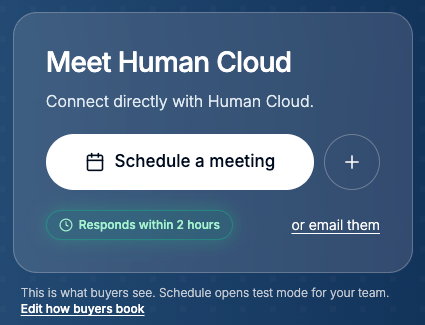
Signed in, go to your profile. You see it exactly as buyers do. Under the Meet card, click Edit how buyers book.
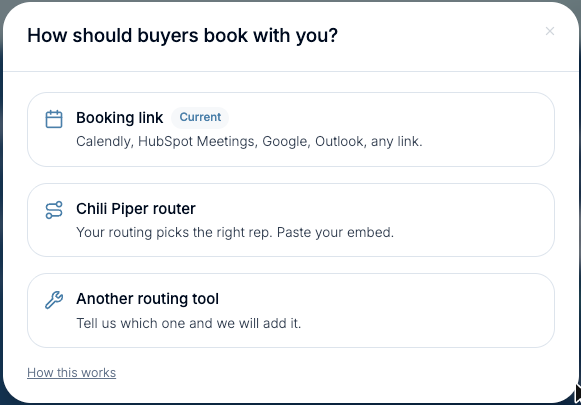
Click Schedule a meeting on your own profile. For you and your team it runs in test mode: you see exactly what buyers see, and nothing is sent as a lead, billed or counted.
Buyers book with Human Cloud first until you add a calendar, and on plans where Human Cloud introduces you. Check Edit how buyers book shows your link or router as Current.
You should see the same Meet card buyers see. If you don't, refresh the page while signed in. Your own clicks open test mode.